
Dell Laptop Service Center in Patna
If your Dell laptop is making loud fan noise, overheating frequently, running slowly, or getting stuck while working, it may be suffering from a cooling system or hardware performance issue. Many users ignore these warning signs until the laptop starts freezing, hanging, or shutting down unexpectedly.
At AV Tech Dell Service Patna, we specialize in diagnosing and repairing Dell laptop fan issues, overheating problems, hanging issues, slow performance, and system crashes. As a trusted Dell Care in Patna, our experienced technicians provide professional solutions for all Dell laptop models.
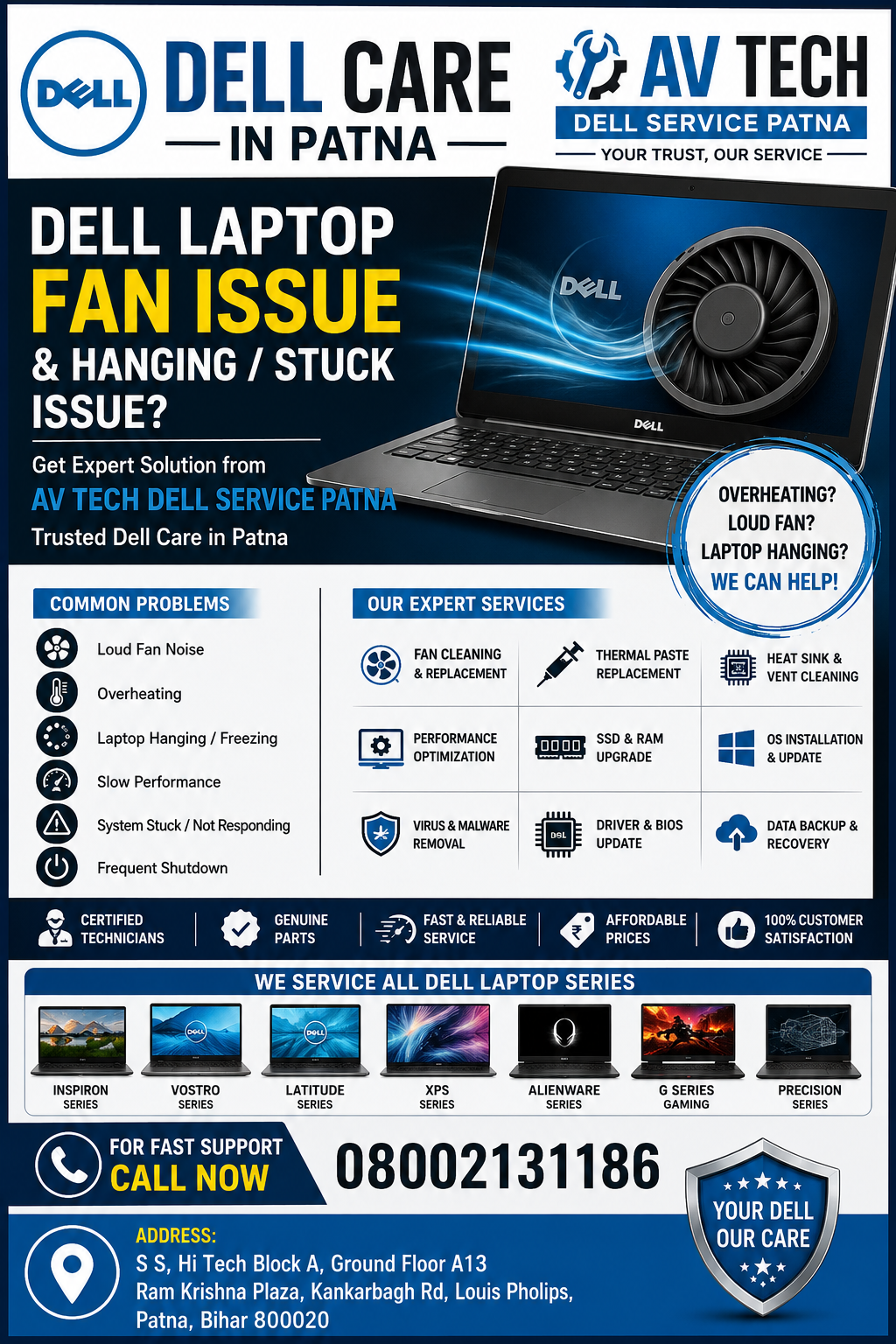
Why Is Your Dell Laptop Fan Running Constantly?
The cooling fan inside your Dell laptop helps regulate temperature and protects critical components such as the processor, motherboard, and graphics chip. When the fan works continuously or produces excessive noise, it may indicate an underlying problem.
Common causes include:
- Dust accumulation inside the cooling vents
- Blocked air circulation
- High CPU usage
- Malware or virus infections
- Faulty cooling fan
- Old thermal paste
- Background applications are consuming resources
- Overheating motherboard components
If these issues are ignored, your laptop may start hanging, freezing, or shutting down automatically.
Dell Laptop Service Center in Patna
Dell Laptop Hanging and Stuck Issues: Common Symptoms
Many Dell users experience performance problems that affect productivity and daily work.
Signs of a Hanging Dell Laptop
- Laptop freezes while working
- Applications stop responding
- Slow startup time
- Black screen after boot
- Cursor freezes frequently
- System crashes randomly
- Laptop becomes extremely slow
- Windows gets stuck during updates
- Excessive fan noise during normal use
These symptoms often indicate hardware, software, or cooling-related problems that require professional inspection.
What Causes Dell Laptop Hanging Problems?
Several factors can contribute to a Dell laptop becoming slow or unresponsive.
1. Overheating Due to Fan Issues
When the cooling fan cannot dissipate heat efficiently, the processor automatically reduces performance to prevent damage. This often leads to system lag and freezing.
2. Dust and Dirt Accumulation
Dust blocks airflow and causes internal temperatures to rise significantly.
3. Hard Drive Problems
A failing HDD or SSD can make the laptop slow, unresponsive, or stuck during startup.
4. Insufficient RAM
Running multiple applications with low memory resources may cause system hanging.
5. Virus and Malware Infection
Malicious software consumes system resources and impacts overall performance.
6. Corrupted Operating System
Damaged Windows files can lead to startup failures and frequent freezing.
7. Driver and BIOS Issues
Outdated or corrupted drivers may create compatibility and performance problems.
Dell Laptop Service Center in Patna
Professional Dell Laptop Fan Repair Services in Patna
At AV Tech Dell Service Patna, our technicians perform a complete diagnosis before recommending any repair.
Our Fan Repair Services Include:
- Internal dust cleaning
- Cooling fan replacement
- Thermal paste replacement
- Heat sink servicing
- Air vent cleaning
- Temperature diagnostics
- Performance optimization
- Motherboard overheating inspection
As a reliable Dell Care in Patna, we use quality spare parts and advanced diagnostic tools to restore your laptop’s cooling efficiency.
Expert Solutions for Dell Laptop Hanging and Slow Performance
Our specialists provide comprehensive repair services for all Dell laptop performance issues.
Services Available
SSD Upgrade
Replacing an old hard drive with an SSD significantly improves speed and responsiveness.
RAM Upgrade
Increasing memory helps improve multitasking performance.
Operating System Installation
Fresh Windows installation eliminates software corruption issues.
Virus Removal
Complete malware and security cleanup.
Driver and BIOS Updates
Ensuring optimal compatibility and system stability.
Data Backup and Recovery
Protecting your important files before major repairs.
Why Overheating Should Never Be Ignored
Continuous overheating can damage critical components inside your Dell laptop.
Potential consequences include:
- Motherboard failure
- Processor damage
- Battery swelling
- Graphics chip malfunction
- Sudden system shutdowns
- Permanent hardware damage
Seeking professional assistance from a trusted Dell Care in Patna can prevent costly repairs in the future.
Dell Laptop Models We Service
At AV Tech Dell Service Patna, we repair all major Dell laptop series, including:
- Dell Inspiron Series
- Dell Vostro Series
- Dell Latitude Series
- Dell XPS Series
- Dell Alienware Series
- Dell G Series Gaming Laptops
- Dell Precision Workstations
Whether your laptop is old or newly purchased, our technicians can identify and resolve fan and performance-related issues efficiently.
Why Choose AV Tech Dell Service Patna?
Certified Technical Expertise
Our technicians have extensive experience handling Dell laptop repairs.
Advanced Diagnostics
We use professional tools to identify the exact cause of the problem.
Genuine Quality Parts
Reliable replacement components for long-lasting performance.
Fast Turnaround Time
Quick diagnosis and repair services.
Customer Satisfaction
Transparent repair process with professional support.
Trusted Dell Care in Patna
A preferred destination for Dell laptop repair and maintenance services.
Tips to Prevent Dell Laptop Fan and Hanging Issues
Follow these maintenance practices to keep your Dell laptop performing efficiently:
- Clean air vents regularly
- Avoid using the laptop on soft surfaces
- Keep Windows updated
- Install reliable antivirus software
- Remove unnecessary startup programs
- Upgrade RAM when required
- Replace thermal paste periodically
- Perform regular system health checks
These simple steps can extend the lifespan of your device and reduce overheating risks.
Conclusion
Dell laptop fan noise, overheating, hanging, and stuck issues should never be ignored. These problems can affect productivity and eventually lead to major hardware failures. If your Dell laptop is running slow, freezing frequently, or producing excessive fan noise, professional diagnosis is essential.
AV Tech Dell Service Patna offers reliable repair and maintenance solutions for all Dell laptop models. As a trusted Dell Care in Patna, we help restore your laptop’s performance through expert troubleshooting, fan repair, hardware upgrades, and complete system optimization.