
dell laptop mic replacement in patna
Dell Laptop Mic Not Working – Causes, Fixes & When to Replace
A working microphone is essential for online meetings, video calls, classes, and recordings. If your Dell laptop mic is not working, it can create serious inconvenience—especially when communication is important. Whether your voice isn’t being detected or the sound is unclear, this issue is quite common and usually fixable.
Before you panic, it’s important to understand the possible reasons behind the problem. And if the issue continues, opting for dell laptop mic replacement in patna can be the best solution.
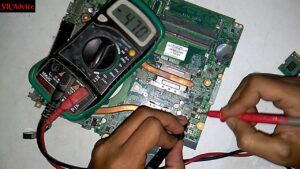
Common Reasons Why Your Dell Laptop Mic Isn’t Working
1. Microphone Disabled in Settings
Sometimes, the mic is simply turned off in system settings or muted in apps.
2. Driver Issues
Outdated or corrupted audio drivers can prevent the microphone from working properly.
3. Dust or Physical Damage
Dust accumulation or internal damage can affect the mic’s performance.
4. Software Conflicts
Certain applications may block microphone access or create conflicts.
5. Hardware Failure
If the mic is completely unresponsive, it may be a hardware issue.
If you’re unsure about the cause, consulting a technician for dell laptop mic replacement in patna can help identify and fix the issue.
Signs Your Laptop Mic Needs Attention
- No sound input during calls or recordings
- Voice is too low or unclear
- Mic works intermittently
- External mic works but internal mic doesn’t
- Error messages related to audio devices
These signs indicate that your microphone may need repair or replacement.
Simple Fixes You Can Try at Home
Check Microphone Settings
Ensure your mic is enabled and set as the default device.
Update Audio Drivers
Install the latest drivers from Dell’s official website.
Check App Permissions
Make sure apps like Zoom or Teams have access to your microphone.
Restart Your Laptop
A simple restart can fix temporary glitches.
If none of these steps work, it’s time to consider professional dell laptop mic replacement in patna.
When Should You Replace the Microphone?
If your mic still doesn’t work after trying all basic solutions, replacement may be necessary.
A professional technician can:
- Diagnose hardware issues
- Replace the internal microphone
- Fix audio circuit problems
- Ensure proper testing after repair
Choosing a trusted service for dell laptop mic replacement in patna ensures safe and reliable results.
Tips to Prevent Mic Issues
- Keep your laptop clean and dust-free
- Avoid exposure to moisture
- Keep your system updated
- Use antivirus to prevent software conflicts
- Handle your laptop carefully
These simple steps can help maintain your laptop’s audio quality.
FAQs (Frequently Asked Questions)
1. Why is my Dell laptop mic not working?
It could be due to settings, driver issues, or hardware damage.
2. Can a laptop microphone be repaired?
Yes, minor issues can be fixed, but major damage may require replacement.
3. How much does mic replacement cost?
The cost depends on the model and issue.
4. How long does the repair take?
Most repairs are completed within a few hours.
5. Where can I get reliable mic repair in Patna?
You can find trusted technicians offering dell laptop mic replacement in patna for quick and professional service.
Conclusion
A non-working microphone can disrupt your daily communication, but it’s often an issue that can be resolved easily. By checking basic settings and trying simple fixes, you may be able to solve the problem yourself.
However, if the issue persists, don’t delay seeking expert help. Choosing professional dell laptop mic replacement in patna can restore your laptop’s audio functionality and ensure smooth communication moving forward.