
dell laptop camera repair in patna
Dell Laptop Camera Not Working – Fixing Hardware & Software Issues
If your Dell laptop camera is not working, you’re not alone. Many users face webcam issues during online meetings, classes, or video calls. The good news is that most camera problems are either minor software glitches or small hardware faults that can be fixed easily. In this guide, we’ll explain the real causes and practical solutions in simple language.
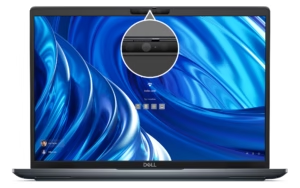
Common Reasons Why Dell Laptop Camera Stops Working
Before jumping to repair, it’s important to understand what might be causing the issue:
-
Camera disabled in privacy settings
-
Outdated or corrupted camera driver
-
Windows update conflicts
-
Antivirus blocking camera access
-
Physical hardware damage
-
Loose internal camera connection
Sometimes the problem is temporary and gets fixed with a simple restart. But if the issue continues, follow the steps below.
Step 1: Check Basic Settings
First, restart your laptop. Many minor glitches resolve automatically.
Next, check:
-
Go to Settings > Privacy > Camera
-
Make sure camera access is turned ON
-
Allow apps to access your camera
If your Dell laptop still shows a black screen or “Camera Not Detected,” move to the next step.
Step 2: Update or Reinstall Camera Driver
Drivers are the most common reason behind webcam problems.
-
Press Windows + X
-
Click Device Manager
-
Expand Cameras
-
Right-click your Dell camera
-
Select Update Driver
If updating doesn’t work, uninstall the driver and restart the system. Windows will reinstall it automatically.
If you are unable to fix the issue yourself, searching for dell laptop camera repair in patna can help you find professional assistance quickly.
Step 3: Check for Hardware Problems
If software fixes don’t solve the issue, there may be hardware damage.
Possible hardware issues include:
-
Broken internal webcam module
-
Loose camera cable inside the screen panel
-
Motherboard-related faults
In such cases, professional inspection is recommended. Many users prefer visiting a trusted technician offering dell laptop camera repair in patna to diagnose the internal problem safely.
Step 4: BIOS and Windows Updates
Sometimes BIOS settings disable the integrated camera.
-
Restart laptop
-
Press F2 (or BIOS key)
-
Check if the integrated camera is enabled
Also ensure your Windows is updated. Outdated system files can block camera functionality.
If even after updates the camera fails, consider contacting an expert specializing in dell laptop camera repair in patna for accurate troubleshooting.
When Should You Seek Professional Repair?
You should visit a repair center if:
-
Camera is physically cracked
-
System doesn’t detect camera at all
-
Driver reinstall fails repeatedly
-
Laptop recently fell or had screen damage
A professional technician can replace the webcam module at a reasonable cost. Many service providers offering dell laptop camera repair in patna can complete the repair within the same day depending on parts availability.
Cost of Dell Laptop Camera Repair
Repair cost depends on:
-
Laptop model
-
Camera module type
-
Extent of internal damage
On average, webcam replacement is affordable compared to screen replacement. It’s always better to get a proper diagnosis before replacing parts. If you’re located locally, checking reliable options for dell laptop camera repair in patna ensures quicker service and genuine parts.
Frequently Asked Questions (FAQ)
1. Why is my Dell laptop camera showing a black screen?
It is usually caused by disabled camera permissions, outdated drivers, or software conflicts.
2. How do I test my Dell webcam?
You can open the Camera app in Windows or use online webcam test tools to check functionality.
3. Can a Dell laptop camera be replaced?
Yes, the internal webcam module can be replaced by a professional technician.
4. How much time does camera repair take?
Most repairs take 1–2 hours if the part is available.
5. Is it safe to repair instead of buying a new laptop?
Yes, webcam repair is usually cost-effective compared to buying a new laptop.
Final Thoughts
A Dell laptop camera not working can be frustrating, especially when you rely on it for meetings and online communication. Start with simple software troubleshooting steps. If the issue persists, professional inspection is the safest solution. Early diagnosis can save both time and money while restoring your device to full functionality.