
Dell Laptop Blue Screen Error in Patna
A blue screen error—often called the Blue Screen of Death (BSOD)—is one of the most worrying problems a laptop user can face. Your Dell laptop may suddenly stop working, display a blue screen with error codes, and restart without warning. This issue can interrupt work, risk important data, and create confusion for users who do not understand the cause.
Knowing the real reasons behind blue screen errors and when to seek help from a trusted Dell Service Center in Patna can prevent long-term damage and keep your laptop running smoothly.
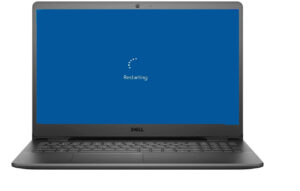
What Is a Blue Screen Error?
A blue screen appears when the operating system detects a serious system failure that it cannot safely recover from. To protect hardware and data, Windows stops all activity and shows an error message.
This usually indicates:
-
Critical driver conflict
-
Hardware malfunction
-
Corrupted system files
-
Memory or storage failure
While an occasional crash may not be dangerous, frequent blue screens are a sign that professional diagnosis is needed.
Dell Laptop Blue Screen Error in Patna
1. Outdated or Corrupted Drivers
Drivers help hardware communicate with the operating system. If a driver becomes outdated or damaged, system crashes may occur.
Professional fix:
Technicians update or reinstall compatible drivers after full diagnostics at a Dell Service Center in Patna, ensuring stable performance.
2. Faulty RAM or Hard Drive
Damaged memory or storage can interrupt system processes and trigger blue screen errors.
Signs include:
-
Random restarts
-
File corruption
-
Slow performance before crash
Professional fix:
Hardware testing tools identify failing components, which are then safely replaced by experts.
3. Overheating Issues
Dust buildup, blocked airflow, or cooling fan failure can overheat internal parts, causing sudden system shutdowns and blue screens.
Professional fix:
Internal cleaning, thermal paste replacement, and cooling system repair performed at a Dell Service Center in Patna restore safe temperature levels.
4. Malware or System File Corruption
Viruses or incomplete updates may damage Windows system files, leading to repeated crashes.
Professional fix:
Experts perform secure malware removal, system repair, or clean Windows installation to stabilize the device.
5. Recent Hardware or Software Changes
Installing incompatible software, drivers, or hardware components can trigger BSOD errors.
Professional fix:
Technicians analyze recent changes and restore proper configuration to prevent further crashes.
Warning Signs You Should Not Ignore
Visit a professional immediately if you notice:
-
Blue screen appearing repeatedly
-
Laptop restarting again and again
-
Important files becoming inaccessible
-
Unusual heating or noise
-
System failing to boot normally
Early repair at a reliable Dell Service Center in Patna can prevent motherboard damage and permanent data loss.
Why Professional Repair Is Important
Trying random internet fixes or local untrained repair can worsen the issue. Professional service offers:
-
Accurate root-cause diagnosis
-
Safe handling of internal hardware
-
Genuine compatible spare parts
-
Data protection during repair
-
Long-term system stability
Getting support from an experienced Dell Service Center in Patna ensures your laptop is repaired correctly rather than temporarily fixed.
Conclusion
Blue screen errors in Dell laptops are serious warnings that something inside the system needs attention. Whether caused by drivers, hardware failure, overheating, or corrupted files, ignoring the issue can lead to permanent damage or data loss.
Timely diagnosis and expert repair from a trusted Dell Service Center in Patna provide the safest solution, restoring stability and extending the life of your device. Acting early always saves both time and money.
Frequently Asked Questions (FAQs)
1. Is a blue screen error always a hardware problem?
No. It can also be caused by driver conflicts, corrupted files, or malware. Proper diagnosis is necessary.
2. Can I fix blue screen errors at home?
Minor issues like driver updates may help, but repeated crashes require professional inspection.
3. Will my data be safe during repair?
Yes, professional technicians take precautions to protect user data during troubleshooting and repair.
4. How long does blue screen repair usually take?
Simple software fixes may take a few hours, while hardware replacement can take one to two days.
5. How can I prevent blue screen errors in the future?
Keep drivers updated, avoid overheating, install trusted software, and service your laptop regularly.