
Best Dell Laptop Service Center in Patna
Dell Laptop Power Button Not Responding – Complete Repair Guide
When your Dell laptop power button stops responding, it can be frustrating—especially if you have urgent work to finish. Sometimes the issue is minor and can be fixed at home, but in other cases, professional repair is the safest option. In this guide, we’ll explain the common causes, step-by-step troubleshooting methods, and when you should visit the Best Dell Laptop Service Center in Patna for expert help.
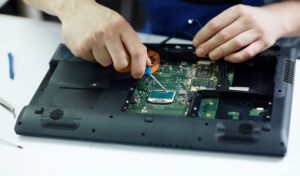
Why Is Your Dell Laptop Power Button Not Working?
There are several reasons why the power button may fail to respond:
-
Battery or Charger Issue – Faulty adapter or drained battery.
-
Power Button Hardware Damage – Button stuck, broken, or internal switch damaged.
-
Motherboard Fault – Power circuit issue on the motherboard.
-
Static Charge Build-Up – Internal static preventing startup.
-
Loose Internal Cable – Disconnected power button ribbon cable.
Understanding the cause helps you decide whether it’s a simple fix or you need assistance from the Best Dell Laptop Service Center in Patna.
Step-by-Step Troubleshooting Guide
1. Check the Charger and Power Source
-
Plug the charger into another working socket.
-
Check for LED light on the adapter.
-
Try using a compatible charger if available.
If your charger is damaged, replacing it may solve the issue instantly.
2. Perform a Hard Reset
This method removes static electricity:
-
Disconnect charger.
-
Remove the battery (if removable).
-
Press and hold the power button for 20–30 seconds.
-
Reconnect and try turning it on.
Many minor startup problems get resolved with this simple reset.
3. Inspect the Power Button
If the button feels loose, stuck, or doesn’t “click,” it could be physically damaged. In this case, internal inspection is required. Instead of opening it yourself, it’s safer to visit the Best Dell Laptop Service Center in Patna to avoid further damage.
4. Check for Motherboard or Internal Fault
If there are no lights, no fan sound, and no response at all, the issue might be with:
-
Power IC
-
Motherboard circuit
-
Internal shorting
Motherboard repairs require professional tools and expertise. A certified technician at the Best Dell Laptop Service Center in Patna can properly diagnose and repair the fault.
5. Try Power Drain Method (Non-Removable Battery Models)
For laptops with inbuilt batteries:
-
Disconnect charger.
-
Press and hold power button for 30 seconds.
-
Reconnect and try again.
If the laptop still does not respond, professional repair is recommended.
When Should You Visit a Service Center?
You should seek expert help if:
-
Laptop shows no charging light.
-
Power button is physically damaged.
-
Laptop turns on briefly and shuts down.
-
You suspect motherboard failure.
Choosing the Best Dell Laptop Service Center in Patna ensures:
-
Genuine spare parts
-
Proper motherboard-level repair
-
Experienced technicians
-
Warranty on service
Timely repair prevents further hardware damage and data loss.
How to Prevent Power Button Issues in Future
-
Avoid pressing the button too hard.
-
Keep laptop away from dust and moisture.
-
Use original charger only.
-
Do not overcharge frequently.
-
Get regular servicing from the Best Dell Laptop Service Center in Patna to maintain performance.
Frequently Asked Questions (FAQ)
Q1. Why is my Dell laptop not turning on even though the charger is connected?
It may be due to battery failure, faulty adapter, motherboard issue, or power circuit damage.
Q2. Can a power button be repaired or does it need replacement?
In most cases, it can be repaired. If physically broken, replacement is required.
Q3. Is motherboard repair expensive?
Cost depends on the fault. Minor IC repairs are affordable, but major board damage may cost more.
Q4. How long does power button repair take?
Usually 1–2 days, depending on parts availability and issue complexity.
Q5. Should I open my laptop and fix it myself?
Not recommended. Modern laptops are delicate. Always consult professionals to avoid further damage.
Final Words
A non-responsive power button doesn’t always mean your laptop is dead. Try basic troubleshooting first. If the problem persists, don’t delay professional inspection. Visiting the Best Dell Laptop Service Center in Patna ensures safe diagnosis, genuine repair, and long-term performance of your device.
If your Dell laptop is not turning on, get it checked today and restore your productivity without unnecessary risks.