
Dell Laptop heating Problem in Patna
Is your Dell laptop getting unusually hot while working, gaming, attending online meetings, or browsing the internet? A Dell Laptop Heating Problem in Patna can lead to slow performance, sudden shutdowns, hardware damage, and reduced laptop lifespan.
At AV Tech Dell Service Patna, we provide professional diagnosis and repair solutions for all types of Dell laptop overheating issues. Our certified technicians can identify the root cause of excessive heat and quickly and efficiently restore your laptop’s performance.
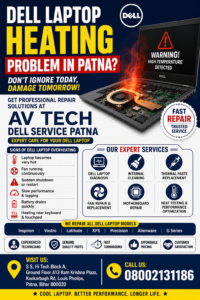
Dell Laptop heating Problem in Patna
Why Does a Dell Laptop Overheat?
Dell laptops are designed with advanced cooling systems, but over time several factors can cause overheating.
Common Causes of Dell Laptop Heating Problems
1. Dust Accumulation
Dust blocks cooling vents and restricts airflow, causing internal temperatures to rise.
2. Faulty Cooling Fan
A damaged or slow-moving cooling fan cannot effectively remove heat from the processor and motherboard.
3. Dried Thermal Paste
Thermal paste helps transfer heat away from the CPU and GPU. When it dries out, temperatures increase significantly.
4. Heavy Software Usage
Running multiple applications, video editing software, games, or virtual machines can generate excessive heat.
5. Motherboard Issues
Damaged power circuits and motherboard components can create abnormal heating.
6. Blocked Air Vents
Using a laptop on beds, cushions, or soft surfaces can block ventilation and trap heat.
Dell Laptop heating Problem in Patna
Signs of a Dell Laptop Overheating
If you notice any of the following symptoms, your Dell laptop may require immediate attention:
- Laptop becomes extremely hot during normal use.
- Sudden shutdowns or automatic restarts.
- Fan running continuously at high speed.
- Slow system performance.
- Frequent freezing and lagging.
- Blue screen errors.
- Battery drains quickly.
- Burning smell from the laptop.
- Keyboard and palm rest becoming unusually hot.
Ignoring these warning signs can lead to expensive hardware repairs.
Risks of Ignoring Dell Laptop Heating Issues
Many users continue using an overheating laptop until major damage occurs.
Potential consequences include:
- Motherboard failure
- Processor damage
- Graphics chip malfunction
- SSD or hard drive damage
- Battery swelling
- Data loss
- Complete system failure
Early diagnosis can save both time and repair costs.
Expert Dell Laptop Heating Repair in Patna
At AV Tech Dell Service Patna, we offer comprehensive solutions for overheating Dell laptops.
Our Repair Process Includes:
Complete Laptop Diagnosis
We inspect the cooling system, motherboard, processor, and power components.
Internal Dust Cleaning
Removal of accumulated dust from fans, vents, and heatsinks.
Thermal Paste Replacement
Application of high-performance thermal compound for better heat transfer.
Cooling Fan Repair & Replacement
Faulty fans are repaired or replaced with quality components.
Motherboard Repair
Component-level diagnosis and repair of overheating motherboard circuits.
Temperature Testing
Stress testing and thermal monitoring ensure the laptop operates within safe temperature ranges.
Dell Laptop Models We Service
We repair heating problems in all Dell laptop series, including:
- Dell Inspiron Series
- Dell Vostro Series
- Dell Latitude Series
- Dell XPS Series
- Dell Precision Workstations
- Dell Alienware Gaming Laptops
- Dell G Series Gaming Laptops
Our technicians are trained to handle both consumer and business-class Dell devices.
Why Choose AV Tech Dell Service Patna?
Experienced Dell Technicians
Skilled professionals with extensive laptop repair experience.
Advanced Diagnostic Equipment
Accurate identification of overheating causes.
Affordable Repair Charges
Transparent pricing with no hidden costs.
Genuine Quality Parts
Reliable replacement components for long-lasting performance.
Fast Turnaround Time
Quick diagnosis and efficient repairs.
Customer Satisfaction
Trusted by Dell laptop users throughout Patna.
Tips to Prevent Dell Laptop Heating Problems
Follow these maintenance tips to keep your Dell laptop cool:
- Clean air vents regularly.
- Avoid using the laptop on soft surfaces.
- Use a cooling pad during heavy workloads.
- Update BIOS and device drivers.
- Close unnecessary background applications.
- Schedule periodic internal cleaning.
- Replace thermal paste every few years.
Regular maintenance significantly improves laptop performance and longevity.
Dell Laptop Heating Problem in Patna – Get Professional Help Today
If your Dell laptop is overheating, slowing down, or shutting off unexpectedly, professional repair can prevent serious hardware damage.
AV Tech Dell Service Patna provides reliable solutions for every type of Dell Laptop Heating Problem in Patna, helping you restore performance, stability, and cooling efficiency.
Whether you need thermal paste replacement, fan repair, motherboard diagnosis, or complete cooling system maintenance, our experts are ready to help.