
Dell Care in Patna
If your Dell laptop is overheating, the fan is making a loud noise, or the motherboard is getting too hot, you are not alone. Thousands of users face Dell laptop heating issues due to dust, damaged cooling systems, motherboard faults, or old thermal paste. Ignoring these problems can damage the processor, battery, graphics chip, and even the entire motherboard.
In this detailed guide, you will learn everything about Dell laptop motherboard repair, fan problems, and heating issues, including causes, symptoms, solutions, and prevention tips.
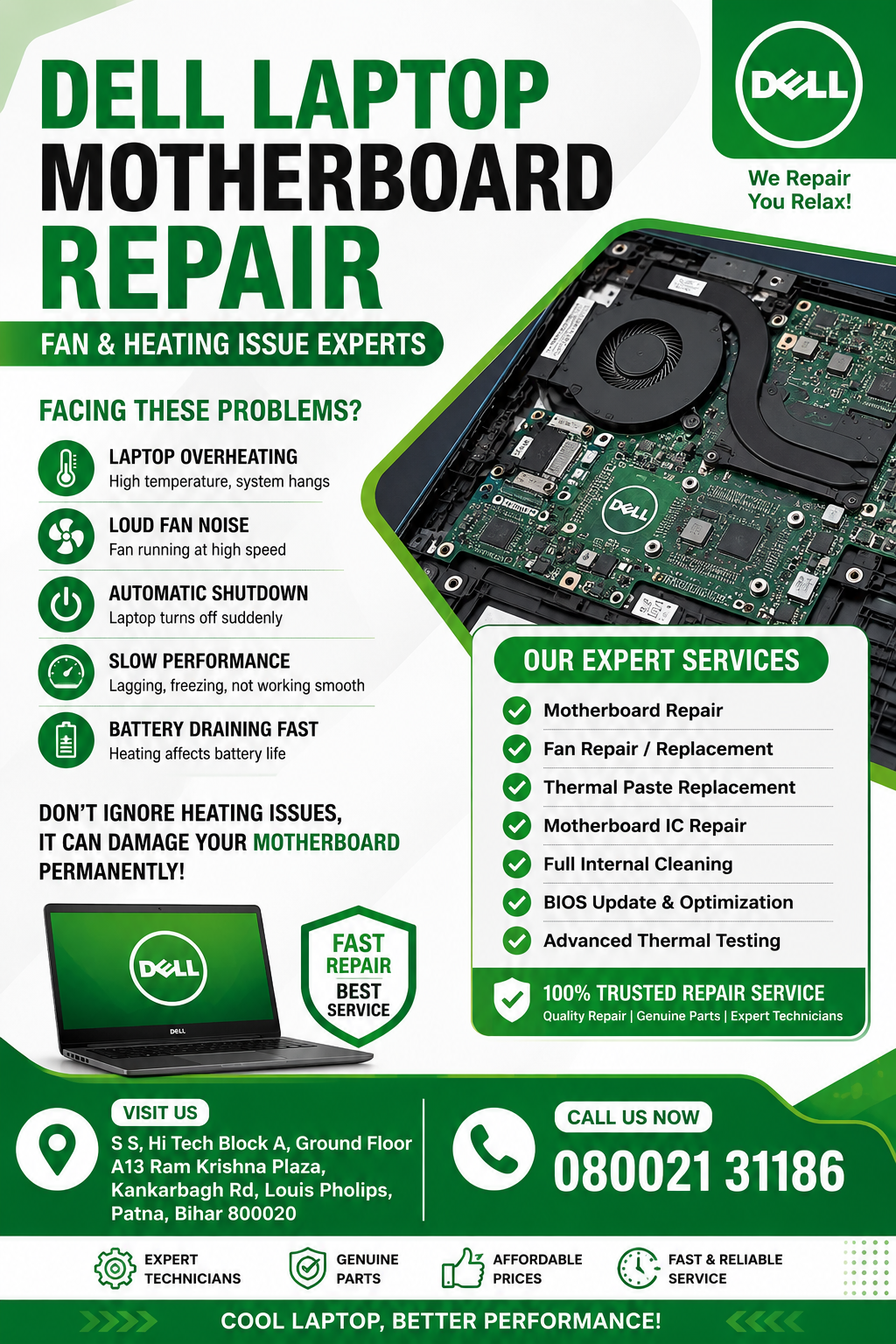
Dell Care in Patna
Why Dell Laptop Heating Issues Happen
Dell laptops are designed for high performance, but continuous usage, blocked airflow, and motherboard problems can create excessive heat. When the cooling system fails, the laptop temperature increases rapidly.
Common reasons include:
- Dust inside cooling fan
- Faulty motherboard IC
- Damaged cooling fan
- Old thermal paste
- Blocked air vents
- Heavy gaming or editing software
- BIOS issues
- Overloaded RAM and processor
- Power supply problems
- GPU overheating
A motherboard heating issue should never be ignored because it can permanently damage internal components.
You may notice these symptoms before the motherboard gets damaged:
Laptop Becoming Very Hot
The bottom surface becomes extremely hot even during normal work.
Loud Fan Noise
The fan keeps spinning at high speed continuously.
Automatic Shutdown
The laptop suddenly turns off because of overheating protection.
Slow Performance
Heating affects CPU performance and causes lagging.
Display Freezing
Motherboard overheating can freeze the screen or create black screen issues.
Battery Draining Fast
Excessive heat reduces battery performance quickly.
Burning Smell
A damaged motherboard chip may create a burning smell.
Dell Laptop Motherboard Repair Process
Professional Dell laptop motherboard repair usually includes complete hardware diagnosis and thermal testing.
1. Internal Cleaning
Technicians clean dust from:
- Cooling fan
- Heat sink
- Air vents
- Motherboard surface
Dust blocks airflow and increases internal temperature.
2. Thermal Paste Replacement
Old thermal paste becomes dry after long usage. Replacing it improves heat transfer between CPU and heat sink.
3. Cooling Fan Repair or Replacement
If the fan is damaged or rotating slowly, it must be repaired or replaced.
4. Motherboard IC Repair
Heating issues may come from:
- Power IC
- Charging IC
- GPU section
- CPU power circuit
A motherboard technician repairs or replaces damaged components.
5. BIOS Update
Sometimes Dell BIOS updates improve fan speed control and temperature management.
6. Full Temperature Testing
After repair, technicians test:
- CPU temperature
- GPU temperature
- Fan RPM
- Power consumption
- Motherboard stability
Main Causes of Dell Laptop Motherboard Heating
Blocked Cooling System
Air cannot pass properly through dusty vents.
Short Circuit in Motherboard
A faulty capacitor or IC can generate excessive heat.
Heavy Software Usage
Video editing, gaming, and multitasking increase motherboard load.
Faulty Charger
Incorrect voltage may affect motherboard temperature.
Damaged Graphics Chip
GPU overheating is common in high-performance laptops.
How to Prevent Dell Laptop Heating Problems
You can increase laptop life by following these tips:
- Clean laptop fan every 3–6 months
- Use original Dell charger
- Avoid using laptop on bed or pillow
- Use cooling pad
- Keep BIOS updated
- Close unnecessary background apps
- Replace thermal paste regularly
- Avoid excessive gaming for long hours
Proper maintenance prevents expensive motherboard repair costs.
Dell Laptop Fan Not Working – What to Do?
If your Dell laptop fan stops working:
- Shut down the laptop immediately
- Do not continue heavy usage
- Check air vents for blockage
- Run Dell diagnostics
- Update BIOS settings
- Visit professional motherboard repair technician
Using the laptop without fan cooling may permanently damage the motherboard.
Dell Laptop Heating Issue During Charging
Many users notice overheating while charging. This usually happens because of:
- Faulty charging IC
- Battery issue
- Duplicate charger
- Motherboard power section damage
A technician can diagnose whether the issue is related to battery or motherboard circuitry.
Why Professional Motherboard Repair Is Important
Motherboard repair requires:
- Advanced soldering tools
- Circuit testing
- Chip-level diagnosis
- Thermal analysis
Attempting self-repair may worsen the damage. Professional repair helps save the laptop and reduces replacement cost.
Dell Laptop Motherboard Repair Cost
The repair cost depends on:
- Motherboard damage level
- Fan replacement requirement
- IC repair complexity
- GPU repair
- Thermal cleaning process
Minor heating repairs are usually affordable, while major motherboard replacement costs more.
Best Solution for Dell Laptop Heating and Fan Problems
If your Dell laptop:
- overheats frequently,
- shuts down automatically,
- makes loud fan noise,
- or becomes slow,
then immediate motherboard diagnosis is necessary.
Ignoring heating issues can damage:
- Processor
- RAM
- SSD
- Graphics chip
- Battery
- Motherboard circuits
Professional Dell laptop motherboard repair can restore normal cooling performance and extend laptop life.
Frequently Asked Questions
Can heating damage Dell laptop motherboard?
Yes, continuous overheating can permanently damage motherboard circuits and processor components.
Why is my Dell laptop fan running continuously?
This usually happens because of high CPU temperature, dust accumulation, or cooling system failure.
How often should Dell laptop fan cleaning be done?
Cleaning every 3–6 months is recommended for proper airflow.
Does changing thermal paste reduce heating?
Yes, new thermal paste significantly improves heat dissipation.
Can motherboard repair fix heating issues?
Yes, if the problem is related to damaged ICs, power circuits, or cooling control systems.
Conclusion
Dell laptop heating and fan problems are serious issues that should be fixed quickly before they damage the motherboard. Regular maintenance, thermal cleaning, and professional motherboard repair can improve performance and increase laptop lifespan.
If your Dell laptop is overheating, shutting down automatically, or making loud fan noise, professional Dell laptop motherboard repair is the best long-term solution.