
Dell laptop speaker repair in patna
Dell Laptop Speaker Not Working – Causes, Fixes & When to Repair
It’s frustrating when your Dell laptop suddenly stops producing sound. Whether you’re trying to attend an online meeting, watch a video, or listen to music, speaker issues can completely disrupt your experience. The good news is that in many cases, the problem is minor and can be fixed easily. However, sometimes professional help is needed.
If you’re facing this issue frequently, understanding the root cause can save both time and money. And if you’re based in Bihar, finding a reliable service for dell laptop speaker repair in patna can be a practical solution.
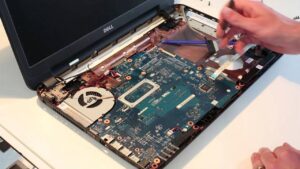
Common Reasons Why Dell Laptop Speakers Stop Working
There are several reasons why your laptop speakers may stop functioning properly:
1. Audio Driver Issues
Outdated or corrupted drivers are one of the most common causes. If your system recently updated, it might have affected the sound driver.
2. Incorrect Sound Settings
Sometimes the issue is as simple as muted volume or the wrong playback device being selected.
3. Hardware Damage
If your laptop has been dropped or exposed to moisture, the internal speakers may be physically damaged.
4. Audio Jack Problems
If your device thinks headphones are plugged in, it may disable the speakers.
5. Windows Updates or Bugs
Occasionally, system updates can create compatibility issues with audio components.
Basic Troubleshooting You Can Try
Before rushing to a repair center, try these simple steps:
- Restart your laptop
- Check volume levels and mute settings
- Update or reinstall audio drivers
- Run Windows sound troubleshooter
- Check playback devices in sound settings
Many users find that these quick fixes resolve the issue. However, if the problem continues, it might be time to consider professional dell laptop speaker repair in patna.
When You Should Seek Professional Repair
Not every issue can be fixed at home. You should consider expert help if:
- There is no sound at all despite troubleshooting
- Sound is distorted or crackling
- Speakers work only intermittently
- The issue started after physical damage
Professional technicians can diagnose whether the issue lies in the speakers, motherboard, or audio IC.
Why Choose Professional Repair in Patna?
If you’re in Patna, opting for a local service has its advantages:
- Faster diagnosis and repair
- Affordable pricing compared to replacement
- Access to genuine parts
- On-the-spot troubleshooting
Choosing a trusted service for dell laptop speaker repair in patna ensures that your device is handled properly without unnecessary delays.
Tips to Avoid Speaker Issues in Future
Prevention is always better than repair. Here are a few simple tips:
- Avoid exposing your laptop to dust and moisture
- Use original drivers and keep them updated
- Handle your device carefully to avoid internal damage
- Don’t keep volume at maximum for long durations
Taking these precautions can significantly reduce the chances of speaker failure.
Final Thoughts
Speaker issues in Dell laptops are quite common, but they are usually manageable. While basic troubleshooting can fix minor problems, persistent issues should not be ignored. Getting timely help from experts offering dell laptop speaker repair in patna can prevent further damage and extend the life of your laptop.
FAQs – Dell Laptop Speaker Issues
1. Why is my Dell laptop showing sound but no audio is coming out?
This usually happens due to incorrect playback settings or driver issues. Check if the correct output device is selected.
2. Can I fix Dell laptop speakers without opening the laptop?
Yes, many issues are software-related and can be fixed through settings or driver updates.
3. How much does speaker repair usually cost?
The cost depends on the damage, but minor repairs are generally affordable compared to full replacement.
4. Is it better to repair or replace laptop speakers?
If the damage is minor, repair is usually the better option. Replacement is needed only in severe cases.
5. How long does speaker repair take?
Most repairs can be completed within a few hours to a day, depending on the issue.
6. Can water damage affect laptop speakers permanently?
Yes, moisture can damage internal components. Immediate inspection is recommended.