
Dell Laptop Charging Port Repair in Patna
If your Dell laptop is not charging properly, the issue might be with the charging port. This is a common problem faced by many users, especially after long-term usage. A faulty charging port can interrupt your work, cause battery drain, and even damage internal components if ignored.
In this guide, we’ll explain the common causes, practical solutions, and when you should consider professional services like dell laptop charging port repair in patna.
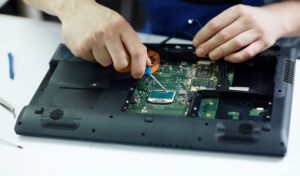
Common Causes of Charging Port Issues in Dell Laptops
Understanding the root cause helps in fixing the issue faster:
1. Loose Charging Port
Over time, frequent plugging and unplugging can loosen the charging port.
2. Dust or Debris Inside the Port
Dust accumulation can block the proper connection between the charger and port.
3. Damaged Charger or Cable
Sometimes the problem is not the port but a faulty adapter.
4. Internal Hardware Damage
If the charging pin or motherboard connection is damaged, charging may stop completely. In such cases, Dell laptop charging port repair in Patna is often required.
5. Overheating Issues
Excess heat can damage internal components, including the charging circuit.
How to Fix Dell Laptop Charging Port Issues
Before going for repair, try these simple fixes:
1. Check the Charger
- Use another compatible charger
- Inspect for cuts or damage
2. Clean the Charging Port
- Turn off the laptop
- Use a soft brush or compressed air to remove dust
3. Adjust the Charging Pin
- Plug in the charger and gently move it
- If charging starts intermittently, the port may be loose
4. Update Battery Drivers
- Go to Device Manager
- Update or reinstall battery drivers
5. Check Power Settings
- Ensure your laptop is not limiting charging due to software settings
If none of these methods work, it’s time to consider dell laptop charging port repair in patna for a permanent solution.
Signs You Need Charging Port Repair
You should seek professional help if:
- Laptop charges only at a certain angle
- Charging stops completely
- Port feels loose or broken
- Sparks or overheating near the port
- Charger plug does not fit properly
In these situations, ignoring the issue can lead to bigger problems. Opting for a Dell laptop charging port repair in Patna ensures safe and reliable repair.
Why Choose Professional Repair Services
Repairing a charging port is not a DIY job. It involves internal components and sometimes soldering. Professional repair services offer:
- Accurate diagnosis of the issue
- Safe repair using proper tools
- High-quality replacement parts
- Protection from further motherboard damage
If you’re in the area, choosing a trusted service for Dell laptop charging port repair in Patna can save both time and money.
Tips to Prevent Charging Port Damage
- Avoid forcefully inserting the charger
- Do not use low-quality adapters
- Keep the port clean and dust-free
- Avoid using the laptop while charging on soft surfaces
- Handle the charging cable carefully
Following these tips can reduce the chances of needing a Dell laptop charging port repair in Patna in the future.
Conclusion
A faulty charging port can seriously affect your Dell laptop’s performance and usability. While minor issues can be fixed at home, major problems require expert attention. If your laptop is still not charging after trying all basic fixes, it’s best to go for a Dell laptop charging port repair in Patna to ensure a long-lasting solution.
FAQs
Q1. Why is my Dell laptop not charging even when plugged in?
It could be due to a faulty charging port, damaged adapter, or battery issue.
Q2. Can a charging port be repaired, or does it need replacement?
In most cases, it can be repaired, but severe damage may require replacement.
Q3. How much does charging port repair cost?
The cost depends on the model and extent of damage.
Q4. Is it safe to use a laptop with a faulty charging port?
No, it can cause further damage or even short circuits.
Q5. How long does the repair take?
Usually, it takes a few hours to one day.
Q6. Should I try fixing the charging port myself?
It’s not recommended, as it requires technical expertise and tools.