
dell laptop speaker repair in patna
Dell Laptop Speaker Not Working – Causes, Solutions & Repair Guide
Dell laptops are known for their performance and reliability, but like any electronic device, they can sometimes develop issues. One common problem many users face is Dell laptop speaker not working. When the speakers stop working, it can be frustrating, especially if you rely on your laptop for meetings, watching videos, listening to music, or attending online classes.
In this detailed guide, we will explain the possible reasons why your Dell laptop speaker may stop working, how you can fix it, and when you should consider professional repair services. If you are located in Bihar and need expert help, services like dell laptop speaker repair in patna can provide professional solutions for hardware-related problems.
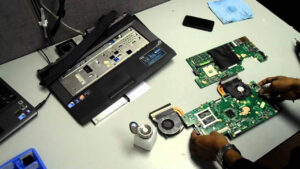
Common Reasons Why Dell Laptop Speakers Stop Working
There are several reasons why your Dell laptop speakers may stop working. The issue could be related to software settings, outdated drivers, or even internal hardware damage.
1. Outdated or Corrupted Audio Drivers
One of the most common reasons for sound issues in Dell laptops is outdated or corrupted audio drivers. Drivers act as a bridge between your laptop hardware and the operating system. If they are not updated or become corrupted, the speakers may stop functioning properly.
Updating or reinstalling the audio drivers often solves the problem.
2. Incorrect Sound Settings
Sometimes the problem is very simple. Your laptop may be muted, or the wrong audio output device might be selected in the system settings. For example, if your system is set to output sound through HDMI or headphones, the internal speakers will not produce sound.
3. Hardware Damage
If your laptop has been dropped, exposed to moisture, or used for a long time without proper maintenance, the internal speakers might get damaged. In such situations, basic troubleshooting will not work, and you may need professional repair. Many users choose dell laptop speaker repair in patna services to diagnose and fix hardware issues quickly.
4. Windows Update Issues
Occasionally, after a Windows update, the audio system may stop functioning properly due to driver conflicts. Reinstalling the audio drivers or rolling back updates can sometimes resolve the problem.
5. Internal Speaker Connection Problem
Inside the laptop, speakers are connected to the motherboard through small cables. If these cables become loose or damaged, the speakers may stop working completely. This type of issue usually requires professional repair assistance.
How to Fix Dell Laptop Speaker Not Working
Before visiting a repair center, you can try some basic troubleshooting steps that may fix the issue.
1. Restart Your Laptop
A simple restart can sometimes resolve temporary system glitches that may be affecting the sound system.
2. Check Volume and Mute Settings
Make sure your laptop is not muted. Click the sound icon in the taskbar and verify that the volume level is turned up.
3. Update Audio Drivers
Open Device Manager, locate the audio driver, and update it. If the driver is corrupted, uninstall it and reinstall the latest version from the Dell website.
4. Run Windows Audio Troubleshooter
Windows has a built-in troubleshooting tool that can detect and fix many sound-related issues automatically.
5. Test with Headphones
Plug in headphones and check whether sound is working through them. If headphones work but the speakers do not, then the internal speakers may be faulty.
If these solutions do not solve the problem, it is likely a hardware issue. In that case, professional services such as dell laptop speaker repair in patna can help you identify and fix the problem efficiently.
When You Should Visit a Professional Repair Technician
There are certain situations where professional repair is necessary. For example:
-
No sound at all from the speakers
-
Distorted or crackling sound
-
Sound stopped working after the laptop fell
-
Liquid damage inside the laptop
Trying to open the laptop yourself can sometimes cause more damage. That is why it is safer to visit an experienced technician. Many laptop users prefer dell laptop speaker repair in patna services because trained professionals can quickly diagnose and repair the issue using proper tools.
Dell Laptop Speaker Repair Cost
The cost of repairing Dell laptop speakers depends on the exact issue.
Typical repair costs may include:
-
Software troubleshooting: ₹0 – ₹500
-
Speaker replacement: ₹800 – ₹2500
-
Motherboard audio repair: ₹2000 or more
The final cost usually depends on the laptop model and the severity of the damage. Reliable technicians offering dell laptop speaker repair in patna can inspect the device and provide an accurate estimate before starting the repair.
FAQ – Dell Laptop Speaker Issues
1. Why are my Dell laptop speakers not working?
This problem can occur due to outdated drivers, incorrect sound settings, or damaged internal speakers.
2. Can updating drivers fix Dell speaker problems?
Yes. In many cases, updating or reinstalling the audio drivers can restore the sound functionality.
3. How long does Dell laptop speaker repair take?
If the issue is minor, it may be fixed within 30–60 minutes. Hardware replacement may take a little longer depending on the laptop model.
4. Can I replace Dell laptop speakers myself?
While it is technically possible, opening a laptop without proper tools and knowledge can cause additional damage. Professional repair is usually the safer option.
5. Where can I repair Dell laptop speakers in Patna?
If you are located in Bihar, you can search for trusted technicians offering dell laptop speaker repair in patna to get fast and reliable repair services.
Conclusion
A Dell laptop speaker not working can be caused by several factors, including driver issues, incorrect sound settings, or hardware damage. In many cases, simple troubleshooting steps like updating drivers or checking audio settings can solve the problem.
However, if the issue is related to internal hardware damage, professional repair becomes necessary. Choosing a trusted service provider ensures your laptop is repaired safely and efficiently. For users in Bihar, services such as dell laptop speaker repair in patna can help restore your laptop’s sound performance quickly and effectively.