
dell laptop screen repair in patna
Dell Laptop Blue Screen Problem: Causes, Solutions, and Repair Guide
In today’s digital world, laptops have become an essential part of our daily life. Whether it is for work, study, or entertainment, we rely heavily on laptops. However, sometimes users face unexpected issues while using their devices. One of the most common problems faced by many users is the Blue Screen Error, also known as the Blue Screen of Death (BSOD).
Dell laptop users also experience this issue occasionally. When the screen suddenly turns blue and the system stops responding, it can be very frustrating. In this article, we will explain the causes of the Dell laptop blue screen problem, possible solutions, and when you should consider professional repair services.
If you are unable to fix the issue on your own, you may need professional help such as dell laptop screen repair in patna to diagnose and repair the problem properly.
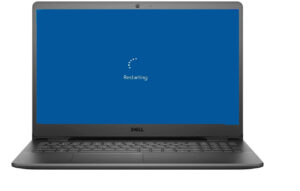
What is the Dell Laptop Blue Screen Problem?
The Blue Screen Error appears when the Windows operating system detects a critical problem that could damage the system. To prevent further damage, the system automatically stops running and displays a blue screen with an error message.
This issue can occur due to both software problems and hardware failures. Sometimes it happens because of outdated drivers, corrupted system files, or hardware issues like faulty RAM or hard drive.
If the problem keeps appearing again and again, it is recommended to seek expert assistance such as dell laptop screen repair in patna to identify the root cause and fix it safely.
Common Causes of Dell Laptop Blue Screen
1. Outdated or Corrupted Drivers
Drivers allow hardware components to communicate with the operating system. If drivers become outdated or corrupted, the system may crash and display a blue screen.
2. RAM Issues
Faulty or improperly installed RAM can cause system instability and lead to blue screen errors.
3. Windows Update Problems
Sometimes incomplete or faulty Windows updates can create system conflicts, which may result in a blue screen.
4. Virus or Malware Infection
Malicious software can damage system files and cause serious system errors including BSOD.
5. Hardware Failure
Issues with components such as the hard drive, motherboard, or graphics card may also trigger the blue screen problem. In such cases, professional technicians offering dell laptop screen repair in patna can help diagnose and repair the hardware properly.
How to Fix Dell Laptop Blue Screen Problem
1. Restart Your Laptop
In some cases, simply restarting the system can fix temporary system glitches.
2. Boot in Safe Mode
Safe Mode allows you to start Windows with minimal drivers and services. This helps identify whether the issue is caused by software or hardware.
3. Update Drivers
Updating all system drivers from the Dell official website or through Windows Update can resolve compatibility issues.
4. Check Hardware Components
If the problem persists, it is important to check hardware components such as RAM, SSD, or hard drive. For professional inspection, services like dell laptop screen repair in patna can be very helpful.
5. Run Antivirus Scan
Perform a full system scan using reliable antivirus software to remove viruses or malware that may be causing the issue.
When You Should Consider Laptop Repair
If your Dell laptop continues to show the blue screen repeatedly and basic troubleshooting does not solve the problem, it could indicate a serious hardware issue. Trying random fixes may sometimes make the situation worse.
In such situations, it is better to consult experienced technicians who can properly diagnose and repair the problem. For users living in Patna, services like dell laptop screen repair in patna can provide professional support and reliable repair solutions.
Tips to Prevent Blue Screen Errors
You can reduce the chances of blue screen errors by following these simple tips:
-
Keep your Windows operating system updated
-
Regularly update device drivers
-
Install trusted antivirus software
-
Avoid installing unknown or suspicious programs
-
Keep your laptop clean and prevent overheating
If the problem still occurs, professional services such as dell laptop screen repair in patna can help identify deeper issues and repair your laptop efficiently.
FAQ (Frequently Asked Questions)
1. Why does my Dell laptop show a blue screen?
A Dell laptop may show a blue screen due to driver issues, hardware failure, corrupted system files, or malware infections.
2. Can I fix the blue screen problem at home?
Yes, if the issue is related to software, you may fix it by updating drivers, scanning for viruses, or reinstalling Windows. Hardware issues may require professional repair.
3. Does the blue screen error damage my data?
Usually, your data remains safe. However, repeated system crashes may increase the risk of file corruption.
4. How much does it cost to repair a Dell laptop?
The repair cost depends on the exact issue. Software fixes are usually inexpensive, while hardware repairs may cost more.
5. Where can I repair my Dell laptop in Patna?
You can contact professional technicians or service providers offering dell laptop screen repair in patna for reliable diagnosis and repair services.