
Authorised Dell Service Center in Patna
Dell Laptop Charging Port Problems – Causes, Signs, and Reliable Solutions
Dell laptops are widely used for work, study, and business because of their durability and performance. However, like any electronic device, they can develop technical issues over time. One common problem many users face is charging port problems. When the charging port stops working properly, the laptop may not charge, charge intermittently, or only work when the charger is held in a specific position.
If you are facing such issues, visiting an Authorised Dell Service Center in Patna can help diagnose and fix the problem professionally without risking further damage to your device.
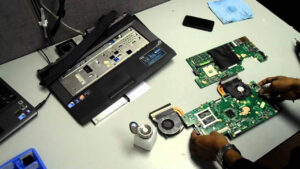
What Is a Dell Laptop Charging Port?
The charging port is the component where the power adapter connects to your laptop. It allows electricity to flow from the charger to the battery and the internal components of the laptop. Because it is used frequently, the charging port can wear out or become loose over time.
When the port becomes damaged or unstable, it may prevent your laptop from charging correctly.
Common Signs of Charging Port Problems
Recognizing the early signs of charging port issues can help you avoid bigger hardware problems later. Some common symptoms include:
-
The laptop does not charge even when the charger is connected
-
Charging only works when the cable is held at a certain angle
-
The charger keeps disconnecting and reconnecting
-
The charging port feels loose or moves when the charger is inserted
-
The battery percentage does not increase while charging
If you notice these issues, it is recommended to consult an Authorised Dell Service Center in Patna to get the port inspected and repaired safely.
Causes of Dell Laptop Charging Port Problems
There are several reasons why a charging port may stop working properly.
1. Physical Damage
Frequent plugging and unplugging can loosen the internal connectors of the charging port.
2. Dust or Debris
Dust accumulation inside the port can block proper connection between the charger and the laptop.
3. Faulty Charger or Adapter
Sometimes the issue is not with the port but with the power adapter.
4. Motherboard Connection Issues
In some cases, the charging port is connected to the motherboard, and internal damage may affect charging.
5. Overheating
Excessive heat can weaken soldered connections inside the charging circuit.
For proper diagnosis, technicians at an Authorised Dell Service Center in Patna can check both the charging port and the power system to identify the exact cause.
How Charging Port Problems Are Fixed
Repairing a charging port usually requires professional tools and experience. The repair process may include:
-
Cleaning the charging port carefully
-
Tightening or replacing the DC power jack
-
Repairing damaged motherboard connections
-
Replacing a faulty adapter or charging cable
Attempting to repair a charging port yourself can sometimes cause more damage, especially if the motherboard is involved. This is why many users prefer visiting an Authorised Dell Service Center in Patna where certified technicians handle the repair safely.
Tips to Prevent Charging Port Damage
You can extend the life of your Dell laptop charging port by following some simple precautions:
-
Always insert and remove the charger gently
-
Avoid pulling the cable forcefully
-
Keep the charging port clean and dust-free
-
Use the original Dell charger whenever possible
-
Avoid using the laptop on soft surfaces that block ventilation
If your laptop already shows signs of charging problems, getting it checked early at an Authorised Dell Service Center in Patna can prevent more serious hardware issues.
Frequently Asked Questions (FAQ)
1. Why is my Dell laptop not charging even when plugged in?
This may happen due to a damaged charging port, faulty adapter, battery issues, or motherboard problems.
2. How do I know if my Dell charging port is damaged?
If your laptop charges only when the cable is moved or held in a certain position, the charging port may be loose or damaged.
3. Can a Dell laptop charging port be repaired?
Yes, in most cases the charging port can be repaired or replaced by professional technicians.
4. Is it safe to repair the charging port at home?
It is not recommended because the charging port is often connected to the motherboard. Professional repair is safer.
5. How much time does charging port repair take?
Depending on the damage, repair can take from a few hours to a day at a professional service center.