
Authorised Dell Service Center in Patna
Common Dell Laptop Problems and How Professionals Fix Them
Dell laptops are trusted for their durability, performance, and smooth user experience. From office work to online learning and entertainment, they support daily life in many ways. However, like any electronic device, Dell laptops can develop technical issues over time due to continuous use, aging components, dust, overheating, or accidental damage.
Understanding the most common problems and knowing when to seek expert help from an Authorised Dell Service Center in Patna can protect your device, save repair costs, and prevent data loss.
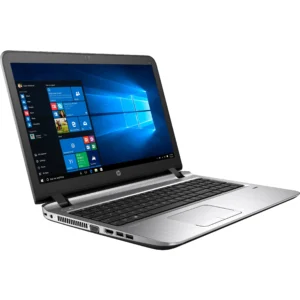
1. Slow Performance and Freezing Issues
One of the most frequent complaints among users is that the laptop becomes slow, hangs often, or takes too long to start. This usually happens because of:
-
Too many background applications
-
Low RAM or storage space
-
Virus or malware infection
-
Outdated drivers or operating system
How professionals fix it
Technicians first run full system diagnostics, remove malware, optimize startup programs, and update drivers. If needed, they upgrade RAM or replace the hard drive with an SSD for faster speed. Proper servicing at an Authorised Dell Service Center in Patna ensures safe upgrades without risking data or hardware damage.
2. Battery Draining Quickly or Not Charging
Battery problems are very common after a few years of use. Signs include:
-
Backup lasting only a short time
-
Sudden shutdown even with charge remaining
-
Laptop not charging properly
-
Overheating while charging
Professional solution
Experts check battery health, charging adapter, and motherboard power circuit. If replacement is required, they install a compatible battery that maintains safety and long-term performance. Visiting an Authorised Dell Service Center in Patna helps avoid low-quality duplicate batteries that may harm the laptop.
3. Screen Damage or Display Problems
Display issues can appear due to accidental drops, pressure, or internal cable faults. Common symptoms include:
-
Cracked screen or black spots
-
Flickering display
-
No display while power light is on
-
Dim brightness or color distortion
Professional solution
Technicians inspect whether the issue is with the screen panel, display cable, or graphics component. They replace only the damaged part, which reduces repair cost. Getting the repair done at an Authorised Dell Service Center in Patna ensures proper fitting and clear display quality.
4. Keyboard or Touchpad Not Working
Keyboard failure makes even simple typing impossible. This may occur because of:
-
Dust or liquid spill
-
Worn-out keys
-
Internal circuit damage
-
Software driver errors
Professional solution
Experts carefully clean internal components, reinstall drivers, or replace the keyboard if required. Genuine spare parts and proper installation at an Authorised Dell Service Center in Patna restore smooth typing and prevent further internal damage.
5. Overheating and Sudden Shutdown
Overheating is a serious issue that can damage internal parts if ignored. Causes include:
-
Dust blocking cooling vents
-
Faulty cooling fan
-
Dried thermal paste on processor
-
Heavy software usage
Professional solution
Service engineers perform deep internal cleaning, replace the cooling fan if needed, and apply fresh thermal paste to control temperature. Timely repair prevents motherboard failure and extends laptop life.
When Should You Visit a Professional Service Center?
You should seek expert help immediately if:
-
Laptop does not turn on
-
Screen, keyboard, or battery stops working
-
Device overheats frequently
-
Data is at risk of loss
-
Problem continues after basic troubleshooting
Professional diagnosis saves time and prevents small faults from becoming major repairs.
Conclusion
Dell laptops are reliable machines, but regular use and environmental factors can still cause technical problems. Slow speed, battery failure, screen damage, keyboard malfunction, and overheating are among the most common issues users face.
Timely diagnosis and proper repair from an Authorised Dell Service Center in Patna ensure genuine solutions, safe handling, and long-term performance. Instead of delaying repairs or choosing untrained technicians, professional care keeps your laptop running smoothly for years.
Frequently Asked Questions (FAQs)
1. How do I know if my Dell laptop needs professional repair?
If your laptop shows repeated errors, overheating, charging failure, or hardware damage, professional inspection is recommended.
2. Can slow performance be fixed without replacing the laptop?
Yes. Cleaning malware, upgrading RAM, or installing an SSD often restores speed significantly.
3. How long does a typical Dell laptop repair take?
Minor repairs may take a few hours, while major hardware replacement can take one to three days depending on the issue.
4. Is it safe to use duplicate spare parts?
No. Duplicate parts may damage the laptop and reduce lifespan. Genuine parts are always safer and more reliable.
5. How can I extend my Dell laptop’s life?
Regular servicing, proper cleaning, safe charging habits, and timely professional repair help maintain long-term performance.